
 52
52  0
0 A website can have good content, strong services, and even regular traffic, but still fail to bring leads or sales. In many cases, the issue is not only SEO or marketing. The real problem is poor UI/UX design.
When users visit a website, they expect it to be simple, clear, fast, and easy to use. If the layout is confusing, the buttons are hidden, the mobile view is poor, or the page feels difficult to read, users may leave before taking action.
At Zillionera, our UI/UX design services focus on creating clean, practical, and user-friendly designs that support real business goals.
Why UI/UX Mistakes Matter
UI/UX mistakes can affect how users feel about your business. A small design issue may look normal to the website owner, but it can create friction for visitors.
For example, if a contact button is not visible, users may not send an enquiry. If the mobile layout is hard to use, users may leave. If the service page is too messy, users may not understand what you offer.
Good design is not just about making a website look modern. It should help users move through the website easily and take the right action at the right time.
1. Confusing Website Navigation
Navigation is one of the first things users notice. If your menu is difficult to understand, users may struggle to find important pages like services, portfolio, pricing, or contact.
Common navigation mistakes include:
- Too many menu items
- Unclear service names
- Important pages hidden inside deep dropdowns
- Different menu structure on desktop and mobile
- No clear path to the contact page
A good navigation structure should help users reach important pages quickly. For example, if someone wants to explore your website design services, they should not need to click through multiple confusing steps.
Simple navigation improves user experience and helps visitors reach conversion-focused pages faster.
2. Weak First Impression Above the Fold
The first screen of your website is very important. Users quickly decide whether your website feels useful, trustworthy, and relevant to their needs.
A weak above-the-fold section can create confusion. This usually happens when the headline is unclear, the design looks crowded, or the CTA is missing.
A strong hero section should clearly show:
- What your business offers
- Who your service is for
- Why users should trust you
- What action users should take next
If users cannot understand your business in the first few seconds, they may leave and check another website.
3. Poor Mobile Experience
Many users visit websites from mobile devices. If your website works well on desktop but feels broken on mobile, you may lose a large number of potential leads.
Mobile UI/UX mistakes include:
- Small text that is hard to read
- Buttons that are difficult to tap
- Images breaking the layout
- Forms that are hard to complete
- Menus that feel confusing
- Too much spacing or no spacing at all
A mobile-friendly design should feel simple and natural. Users should be able to read content, explore services, and contact your business without zooming or struggling.
This is especially important for websites built through website development services, because design and development both need to work together for a smooth mobile experience.
4. Hidden or Weak Call-to-Action Buttons
A CTA tells users what to do next. Without clear CTAs, users may read your page but leave without contacting you.
Common CTA mistakes include:
- CTA button is only placed at the bottom
- Button text is too generic
- CTA color does not stand out
- Too many different CTAs confuse users
- No CTA after important sections
Good UI/UX design places CTAs naturally across the page. After explaining a service, add a contact CTA. After showing portfolio work, guide users to discuss a project. After FAQs, give users a clear next step.
A simple CTA like contact us can perform better when it appears at the right place with the right context.
5. Too Much Visual Clutter
Some websites try to show too many things at once. Too many colors, animations, icons, sections, and buttons can make the page feel heavy and confusing.
Visual clutter can hurt user experience because users do not know where to focus. A clean layout helps users understand the page faster.
Common clutter problems include:
- Too many font styles
- Too many colors
- Random icon usage
- Large sections without proper spacing
- Animations that distract users
- Multiple CTAs competing with each other
Good UI design uses space, contrast, typography, and visual hierarchy carefully. The goal is not to fill every area. The goal is to make the page easy to scan and easy to understand.
6. Poor Content Structure
Content structure is a big part of UX. Even strong content can fail if it is not arranged properly.
Users usually scan a page before reading it fully. They look at headings, short paragraphs, lists, images, service cards, and CTAs. If the content has no clear structure, users may leave.
A strong service page should include:
- Clear hero section
- Short service introduction
- Main benefits
- Services included
- Process section
- Proof or portfolio
- FAQs
- Final CTA
This type of structure also supports SEO services, because search engines and users can understand the page better when content is organized with clear headings.
7. Slow-Loading Design Elements
A good-looking website can still perform poorly if it loads slowly. Heavy images, unnecessary scripts, large animations, and unoptimized sections can affect the user experience.
Speed-related UI/UX issues include:
- Large images without compression
- Too many animation effects
- Heavy sliders
- Unused scripts and styles
- Slow response after clicking buttons
- Layout shifts while loading
Design should be attractive, but it should also be practical for development. This is where UI/UX planning should connect with front-end development services and back-end development services.
A fast website feels more professional and keeps users engaged for longer.
8. Forms That Ask Too Much
Forms are important for conversions, but many websites make forms too long. If users feel the form will take too much time, they may not submit it.
A basic enquiry form should only ask for useful information, such as:
- Name
- Phone number
- Service required
- Message
For service websites, short and clear forms usually work better. If you need more details, you can collect them later after the first enquiry.
Good UX makes the form simple, readable, and easy to complete on both desktop and mobile.
9. No Trust Elements on Important Pages
Users need trust before they take action. If your website does not show proof, users may hesitate to contact you.
Trust elements can include:
- Client reviews
- Portfolio examples
- Case studies
- Process steps
- Technology stack
- Company experience
- Clear contact information
For example, showing your portfolio near service sections can help users see your work quality before they contact you.
Trust elements should be placed where users are making decisions, not only at the bottom of the page.
10. Ignoring E-commerce User Flow
For online stores, UI/UX mistakes can directly affect sales. If users cannot find products, compare options, use filters, or complete checkout easily, they may abandon the purchase.
Common e-commerce UX mistakes include:
- Confusing product categories
- Poor search experience
- Weak product page layout
- Hidden price or shipping details
- Long checkout process
- No clear cart experience
For online stores, ecommerce web design services should focus on product discovery, cart flow, checkout experience, and trust-building elements.
Small UX improvements in product pages and checkout flow can make a real difference in sales.
11. Not Planning CMS Management
A website should not only look good on launch day. It should also be easy to manage later.
If the design is not planned for CMS use, your team may struggle to update content, add services, publish blogs, or manage images.
This is common in websites built on WordPress, Shopify, Webflow, and other CMS platforms. UI/UX should be planned in a way that the content remains manageable after launch.
Our CMS integration services help connect design with easy content management, so the website stays practical for your team.
12. Designing Without Real Business Goals
One of the biggest UI/UX mistakes is designing without a clear goal. A website should not be designed only because it looks good. It should support the business objective.
Before designing, you should understand:
- What action users should take
- Which services need more focus
- What problems users are trying to solve
- What trust elements are needed
- Which pages are most important for conversions
When design is connected with business goals, every section has a purpose. This makes the website more useful for users and more effective for the business.
How Zillionera Helps Fix UI/UX Mistakes
At Zillionera, we look at UI/UX from both design and business angles. We do not only focus on colors and layouts. We also think about user journey, conversion flow, mobile experience, content structure, and development needs.
Our approach includes:
- Reviewing your current website experience
- Finding design and usability issues
- Improving page structure
- Planning better user flow
- Creating clean UI layouts
- Improving mobile usability
- Connecting design with development
- Supporting SEO-friendly page structure
Whether you need a new website, redesign, app interface, dashboard, or custom platform, our team can help create a smoother experience for your users.
Final Thoughts
UI/UX design mistakes can quietly hurt website performance. Users may not tell you what went wrong, but they may leave the website without taking action.
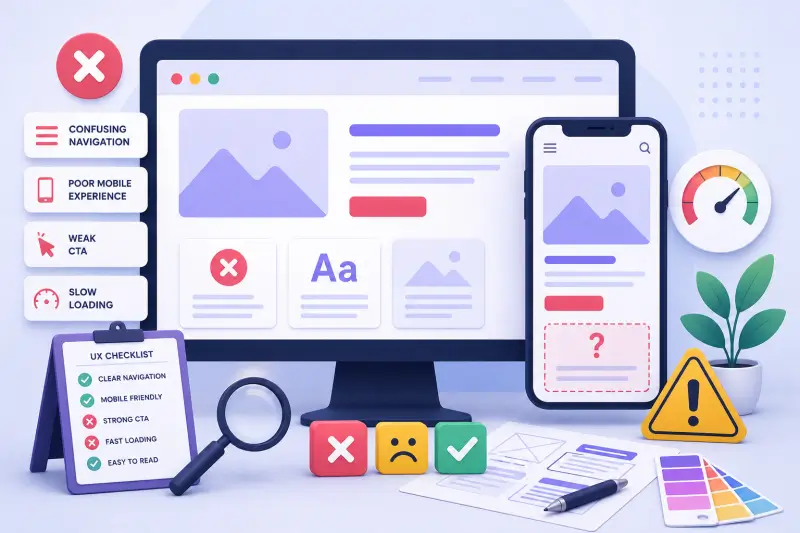
Confusing navigation, poor mobile experience, weak CTAs, slow loading, messy layouts, and long forms can all reduce conversions.
The best websites are simple, clear, fast, and easy to use. They guide users naturally from the first section to the final action.
Zillionera helps businesses design clean, practical, and conversion-focused digital experiences. Explore our UI/UX design services or contact us to discuss your website, app, or dashboard design project.
FAQs
What are common UI/UX design mistakes?
Common UI/UX design mistakes include confusing navigation, poor mobile layout, hidden CTAs, slow-loading elements, cluttered design, long forms, and weak content structure.
Can poor UI/UX affect website conversions?
Yes. Poor UI/UX can reduce conversions because users may struggle to understand your services, find information, complete forms, or take action.
How does mobile UX affect website performance?
Mobile UX affects website performance because many users browse from mobile devices. If the mobile layout is hard to use, users may leave before contacting you.
Does UI/UX design help SEO?
Yes. Good UI/UX supports SEO by improving readability, navigation, mobile usability, internal linking, page structure, and user engagement.
How can Zillionera improve my website UI/UX?
Zillionera can review your current website, find usability issues, improve page structure, redesign important sections, and create a smoother user journey for better performance.