
 58
58  0
0 UI design and UX design are often used together, but they do not mean the same thing. Many business owners think UI/UX is only about making a website or app look modern. In reality, it is much more than that.
A website can look beautiful but still be difficult to use. An app can have useful features but still feel confusing. This usually happens when UI and UX are not planned properly.
At Zillionera, our UI/UX design services focus on both sides: how your digital product looks and how smoothly users can interact with it.
What Is UI Design?
UI stands for User Interface. It is the visual part of a website, mobile app, dashboard, or digital product.
UI design includes everything users see on the screen, such as:
- Layout
- Colors
- Fonts
- Buttons
- Icons
- Images
- Cards
- Forms
- Menus
- Spacing
- Visual style
Good UI design makes your website or app look clean, professional, and easy to understand. It helps users quickly recognize important sections, buttons, and actions.
For example, on a business website, UI design decides how the hero section looks, how service cards are arranged, how buttons appear, and how the overall brand style is presented.
If you are planning a new website, UI design works closely with website design services to create a polished and professional first impression.
What Is UX Design?
UX stands for User Experience. It focuses on how users feel while using your website, app, or digital product.
UX design is not only about screens. It is about the full journey.
UX design answers questions like:
- Can users find information quickly?
- Is the navigation simple?
- Are the steps clear?
- Is the form easy to complete?
- Does the page flow make sense?
- Are users confused at any point?
- Can users complete their goal without extra effort?
For example, if a visitor comes to your service page, UX design decides how the information should be arranged so they can understand your service, trust your company, and contact you easily.
A good UX design reduces confusion and makes the user journey smoother.
Simple Difference Between UI and UX
The easiest way to understand the difference is this:
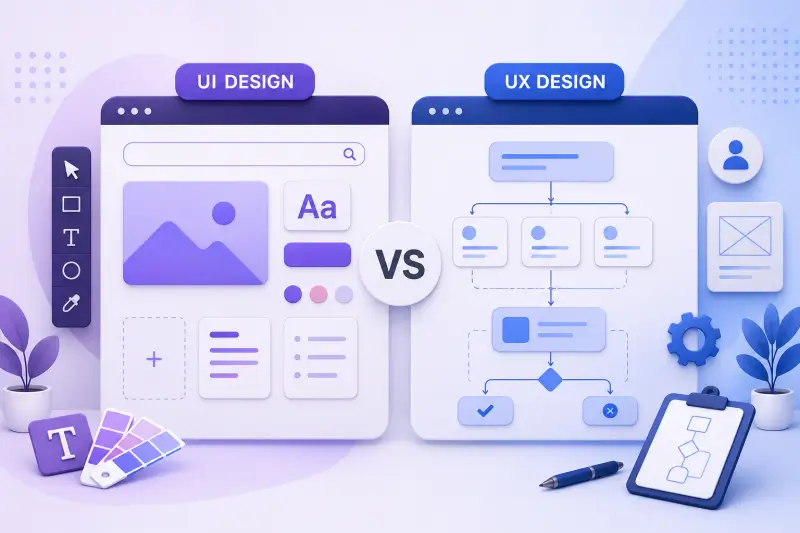
- UI is how it looks.
- UX is how it works.
UI focuses on visual design. UX focuses on user flow and experience.
A button color, size, and style are part of UI. Where that button appears and whether users understand why they should click it is part of UX.
A clean menu design is UI. A menu structure that helps users find the right page quickly is UX.
A beautiful contact form is UI. A short and easy contact form that users can complete without frustration is UX.
Both are important. One without the other usually creates problems.
Why UI Alone Is Not Enough
A website can have great colors, attractive images, and modern animations, but that does not always mean it will perform well.
If users cannot understand your services, find your pricing, read your content, or contact you easily, the design is not helping your business.
Common problems when only UI is considered:
- Website looks good but does not generate leads
- Users leave before reaching important sections
- CTA buttons are not placed properly
- Mobile design feels difficult to use
- Forms are too long or confusing
- Service pages look attractive but lack clear flow
This is why UI design should always be supported by proper UX planning.
A strong design is not just decoration. It should support your business goal.
Why UX Alone Is Not Enough
UX planning can make a website logical and easy to use, but without good UI, the final design may look plain or unprofessional.
Users also judge your business by how your website looks. If the design feels outdated, messy, or inconsistent, users may not trust the brand even if the website structure is good.
Common problems when only UX is considered:
- Website works but looks boring
- Brand identity feels weak
- Pages do not look premium
- Important sections do not stand out
- Competitors look more professional
- Users do not feel strong trust visually
This is why UX also needs good UI design. The experience should be clear, but the interface should also look polished.
How UI and UX Work Together
UI and UX are strongest when they work together from the start.
First, UX plans the journey. Then UI makes that journey visually clear and attractive.
For example, a service page may need this UX flow:
- Clear hero section
- Short service introduction
- Main benefits
- Services included
- Work process
- Portfolio or proof
- FAQs
- Contact CTA
After this structure is planned, UI design makes each section visually clean, readable, and engaging.
This is how a website becomes both user-friendly and professional.
Our team also connects UI/UX planning with website development services so the final design can be built properly, not just look good in a design file.
UI and UX in Website Design
For business websites, UI and UX affect how visitors understand your company.
A good website should clearly show:
- What your business does
- Who you help
- Why users should trust you
- What services you offer
- How users can contact you
- What action they should take next
UI makes this information visually attractive. UX makes sure the information appears in the right order.
For example, if your “Contact Us” button is hidden or your service details are difficult to scan, users may leave. But with proper UI/UX planning, the website can guide users naturally.
This is especially important for service pages, landing pages, and company websites.
UI and UX in Mobile App Design
Mobile apps need even more careful UI/UX planning because the screen size is smaller and users expect fast actions.
In mobile app design, UX decides the flow of screens. UI decides how each screen looks.
A good mobile app design should have:
- Simple onboarding
- Easy login flow
- Clear icons
- Readable text
- Simple navigation
- Fast access to main features
- Clean forms
- Smooth checkout or booking flow
If users need too many steps to complete one action, they may stop using the app.
That is why our app development services work better when UI/UX design is planned properly before development starts.
UI and UX in Dashboards
Dashboards are different from normal websites. They often have more data, charts, tables, filters, and user actions.
In dashboard design, UI helps make data look clean. UX helps users understand and use that data quickly.
A good dashboard UI/UX should include:
- Clear navigation
- Proper data grouping
- Easy filters
- Readable charts
- Simple action buttons
- Useful empty states
- Clean table layout
- Logical screen flow
For admin panels, SaaS products, CRMs, and web applications, dashboard UI/UX is very important. Poor dashboard design can make even a powerful system feel difficult to use.
This is where UI/UX also connects with back-end development services because the design should match real features and data flow.
UI/UX Also Supports SEO
Good UI/UX can support SEO because it improves how users interact with your website.
A clean page structure helps users read content easily. Simple navigation helps users move between pages. Clear sections help search engines understand the page better.
UI/UX can support SEO through:
- Better content readability
- Clear heading structure
- Mobile-friendly layout
- Strong internal linking
- Better page engagement
- Clear CTA placement
- Better service page flow
For example, a service page that links naturally to SEO services, CMS integration services, and related development pages creates a better experience for users and search engines.
UI/UX is not a replacement for SEO, but it supports SEO performance when planned correctly.
Which One Does Your Business Need: UI or UX?
Most businesses need both.
Here are some simple signs:
- If your website looks outdated, you need better UI.
- If users are confused, you need better UX.
- If your website looks good but does not generate leads, you may need both.
- If your app has features but users are not using them properly, UX should be reviewed.
- If your dashboard is useful but difficult to understand, both UI and UX need improvement.
For a new website, app, or dashboard, it is better to plan UI and UX together from the beginning.
This saves time during development and reduces redesign work later.
Signs Your UI Design Needs Improvement
Your UI design may need improvement if:
- The website looks outdated
- Fonts are not consistent
- Colors do not match your brand
- Buttons are not clear
- Spacing looks messy
- Images look low quality
- Pages do not feel professional
- Mobile design looks broken
These issues can affect trust even before users read your content.
Signs Your UX Design Needs Improvement
Your UX design may need improvement if:
- Users cannot find important information
- Navigation feels confusing
- Contact forms are too long
- Visitors leave without taking action
- The checkout or booking flow has too many steps
- Service pages do not explain things clearly
- Mobile users struggle to complete actions
- Users ask the same questions again and again
These issues can reduce leads, sales, and engagement.
Final Thoughts
UI design and UX design are different, but they work best together.
UI makes your website or app look professional. UX makes it easy to use. A strong digital product needs both.
For business websites, apps, dashboards, and e-commerce platforms, UI/UX design can improve trust, user experience, and conversions. It can also make development easier because the layout, flow, and structure are already planned clearly.
Zillionera helps businesses design clean, practical, and user-friendly digital experiences. Explore our UI/UX design services or contact us to discuss your website, app, or dashboard design project.
FAQs
What is the main difference between UI and UX design?
UI design focuses on the visual look of a website or app, while UX design focuses on the user journey and how easily users can complete actions.
Is UI more important or UX?
Both are important. UI creates the visual impression, and UX creates the smooth experience. A strong website or app needs both.
Can one designer do both UI and UX?
Yes, many designers work on both UI and UX. However, larger projects may need separate planning for research, user flow, wireframes, visual design, and prototyping.
Why does a business website need UI/UX design?
A business website needs UI/UX design to look professional, explain services clearly, build trust, and help visitors contact the business easily.
Does UI/UX design help with conversions?
Yes. Good UI/UX design can improve conversions by making pages easier to understand, improving CTA placement, simplifying forms, and reducing user confusion.